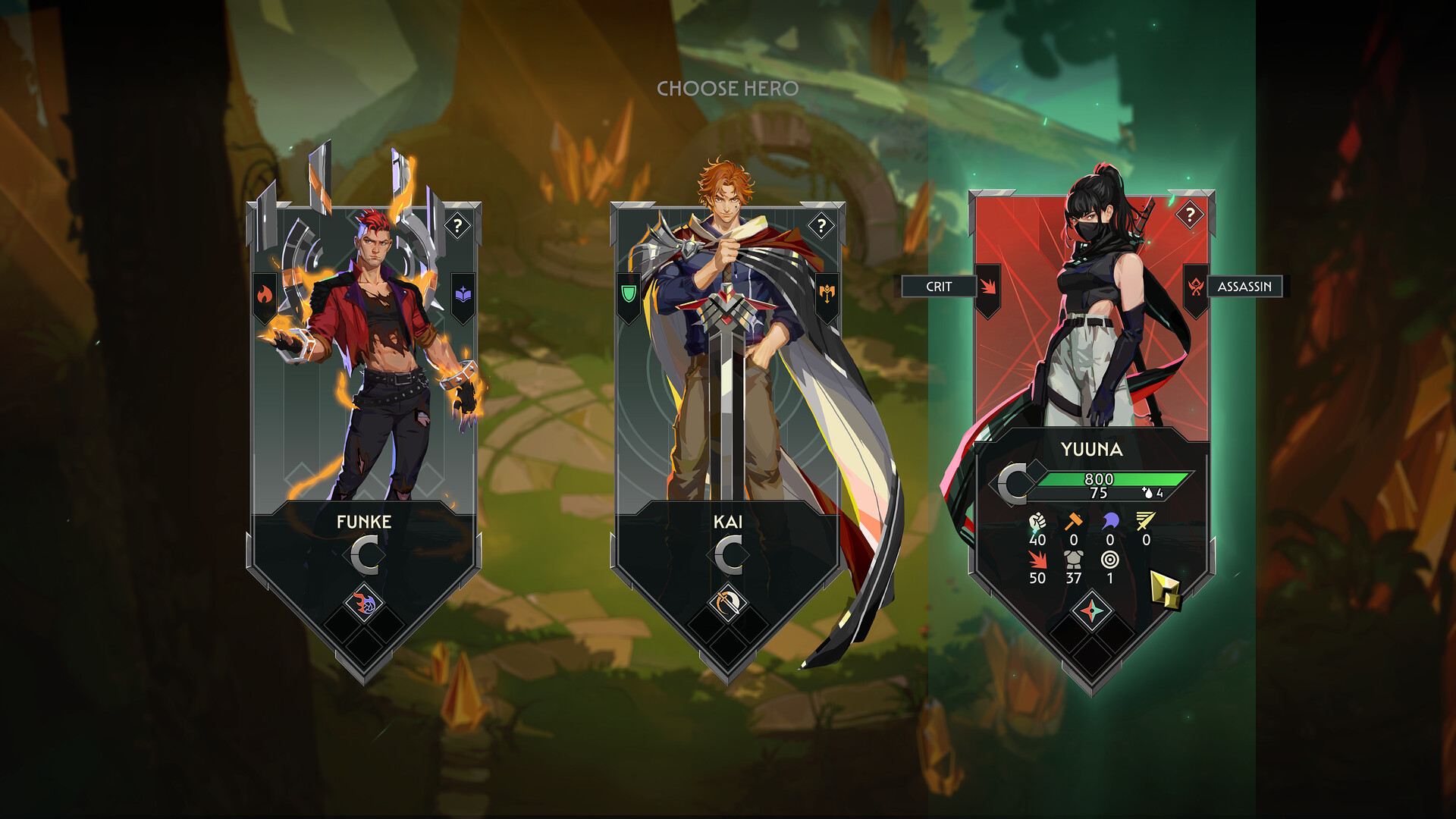
Guildrun Demo quick facts
The Guildrun Demo is the free playable version of Leyline's single-player PvE roguelike autobattler. It launched on Steam on July 16, 2026, for Windows and macOS. The Demo lets players draft a guild, position heroes before automatic battles, choose specialization paths, and combine items and relics across a complete difficulty ladder. It is a separate Steam listing from the unreleased full game, so players should use the official Demo App ID shown below when they want to install it.
The Demo is designed as an ongoing public version rather than a short event download. Leyline's developer FAQ says it will remain available while the team gathers feedback and continues development. Because Guildrun receives frequent changes, the Steam listing and developer announcements remain the authoritative sources for platform support and content updates.
Official Guildrun Demo download and installation
The safest way to download the Guildrun Demo is through its official Steam page. This guide does not host an installer, mirror game files, or recommend third-party executable downloads. The official Demo listing uses Steam App ID 4425970. The separate full-game listing uses App ID 3669200 and is currently intended for wishlisting and following release news.
Open the official Steam page
Visit the Guildrun Demo listing on Steam to confirm the official download.
Add the free Demo
Choose the free Demo option from the official Steam listing.
Install and launch
Install the Demo through Steam, then launch it from your Steam library.
Steam handles the installation and updates. Check the storage requirement for the operating system you plan to use, select Install in the Steam client, and allow the current build to finish downloading before launching it. If Steam displays a new patch, let the client update the Demo before comparing your game with a guide, video, or community build created on a different version.
What the Guildrun Demo includes
The official Steam description lists a substantial playable pool in the Demo alone. Leyline currently advertises 25 heroes, 180 specializations, more than 300 relics, and over 100 items. Those numbers describe the available design space, not a checklist a new player must memorize before starting.
Every hero begins with a class and ability, but later choices can reshape that role. A hero that starts as a backline healer may take a defensive direction, while a conventional damage dealer can gain tools that change where it stands or how it scales. Items apply power to individual heroes, while relic choices can influence a larger part of the team or the entire run.
Combat resolves automatically after setup, so most Guildrun decisions happen around the fight: drafting, positioning, ranking heroes up, choosing specialization routes, equipping items, selecting relics, and deciding whether the current offers justify a pivot. There is no PvP queue or round timer forcing fast decisions. Players can study the available choices and save during a run.
The Demo includes eight escalating difficulty levels. Successful runs unlock harder challenges with additional modifiers. Endless Mode extends the progression for players who want to test long-run scaling and compare leaderboard results after they understand the normal difficulty ladder.
Guildrun Demo system requirements
Guildrun currently lists native Windows and macOS requirements. The Windows minimum targets Full HD at the Low graphics preset and does not require an SSD, although the recommended configuration suggests one. The macOS listing requires Apple silicon and more storage than the Windows build.
Windows
| Component | Minimum | Recommended |
|---|---|---|
| OS | Windows 10 | Windows 10 or 11 |
| Processor | Intel i5-4460 / AMD Ryzen 3 1200 | Intel i5-8600K / AMD Ryzen 5 2600 |
| Memory | 8 GB RAM | 16 GB RAM |
| Graphics | GTX 960 / RX 470 | GTX 1660 Ti / RTX 2060 / RX 5700 |
| Storage | 15 GB | 15 GB; SSD recommended |
macOS
| Component | Minimum | Recommended |
|---|---|---|
| OS | macOS 13 Ventura or newer | macOS Sequoia or newer (as listed on Steam) |
| Processor | Apple M1 | Apple M1 Pro |
| Memory | 16 GB RAM | 16 GB RAM |
| Storage | 18 GB | 18 GB |
System requirements can change as development continues. Check the current Steam listing before installing if your hardware is close to the minimum, especially after a major Demo update. The official page should take precedence over copied requirement tables on third-party download sites.
Guildrun Demo vs. the full game
The free Demo is playable now, while the full Guildrun release remains in development. Leyline's pinned FAQ says the team is aiming for a 2027 release. The full-game Steam page still displays To be announced, which means no exact day or month has been confirmed.
| Topic | Guildrun Demo | Full game |
|---|---|---|
| Availability | Available now | Not announcedTargeting 2027; exact date not announced |
| Price | Free | Premium one-time purchase; price not announced |
| Platforms | Windows and macOS | Windows and macOS confirmed on Steam |
| Content | Published Demo scope | Final scope not announced |
Leyline describes the eventual full release as a premium Steam game sold through a one-time purchase, but a price has not been announced. The final feature and content scope has also not been published. This guide therefore treats the current Demo numbers as Demo facts, not as guarantees about the final launch build.
The full-game page can be wishlisted separately from the Demo. Wishlisting and following the official Steam news feed are the most reliable ways to see a confirmed date, price, or major platform announcement when Leyline publishes one.
Steam Deck, Linux, and controller status
Windows and macOS are the confirmed desktop platforms for the Guildrun Demo. Linux support has not been determined by the developer. Community workarounds such as compatibility layers should not be described as official Linux support unless Leyline changes that status.
The developer FAQ says Guildrun is already playable on Steam Deck using the mousepad with the L1 and L2 buttons. Leyline is interested in controller and official Steam Deck support, but has not promised either feature. Players should treat the current setup as provisional and check the live Steam compatibility information before relying on a controller-only configuration.
No console or mobile version has been announced. Requests from players are not platform confirmations, so this page will only add those systems after an official store page or developer statement appears.
Demo progress carryover and supported languages
Leyline currently plans for Steam accounts to keep Demo metaprogression, difficulty unlocks, and hero mastery stars in the full game. That is a development plan rather than a released migration feature, so the wording should remain planned until the full version is available and the transfer can be confirmed.
The Demo supports English, German, Spanish from Spain, Brazilian Portuguese, Russian, Simplified Chinese, and Traditional Chinese interfaces. English also has full audio according to Steam. Additional languages may be added later, but only the languages visible on the current store page should be described as supported today.
Guildrun is currently focused on single-player PvE. The developer FAQ says two-player co-op is in development and PvP is not planned. Until co-op becomes part of a public build, this Demo guide should describe the available experience as single-player rather than promise multiplayer access.
Frequently asked questions
Is the Guildrun Demo free?
Yes. The official Guildrun Demo is free to install from Steam. The planned full game will be a separate premium one-time purchase, but its price has not been announced.
Where should I download the Guildrun Demo?
Use the official Steam Demo page with App ID 4425970. Avoid unofficial installer mirrors or pages that imply they host a separate PC download.
Does the Guildrun Demo work on macOS?
Yes. Steam lists a native macOS build requiring macOS 13 Ventura or newer, Apple M1 hardware, 16 GB RAM, and 18 GB of available storage at minimum.
Is Guildrun available on Steam Deck or Linux?
The developer says the Demo is playable on Steam Deck with a provisional mousepad and shoulder-button setup, but official Steam Deck and controller support are not promised. Linux support is undetermined.
Will Guildrun Demo progress carry into the full game?
Leyline plans to carry Steam metaprogression, difficulty unlocks, and hero mastery stars into the full game. Keep this described as a plan until the released transfer is confirmed.
When is the full Guildrun release date?
Leyline is aiming for 2027, but the full-game Steam page still says To be announced. No exact release day or month is confirmed.
Sources consulted
This page is based on official Guildrun material rather than an independently tested installation or performance benchmark. Facts were checked on July 22, 2026. Steam and Leyline should take precedence if a later update changes the Demo.